Pensioners Can Now Verify Their Identity Through Face ID on NADRA App to Receive Funds
Getting your pension just became a whole lot easier. For years, senior citizens in Pakistan have faced challenges when trying to prove their identity to access their hard-earned retirement funds. Weak fingerprints and long waiting lines at banks or designated branches often made a simple task feel like a heavy burden.
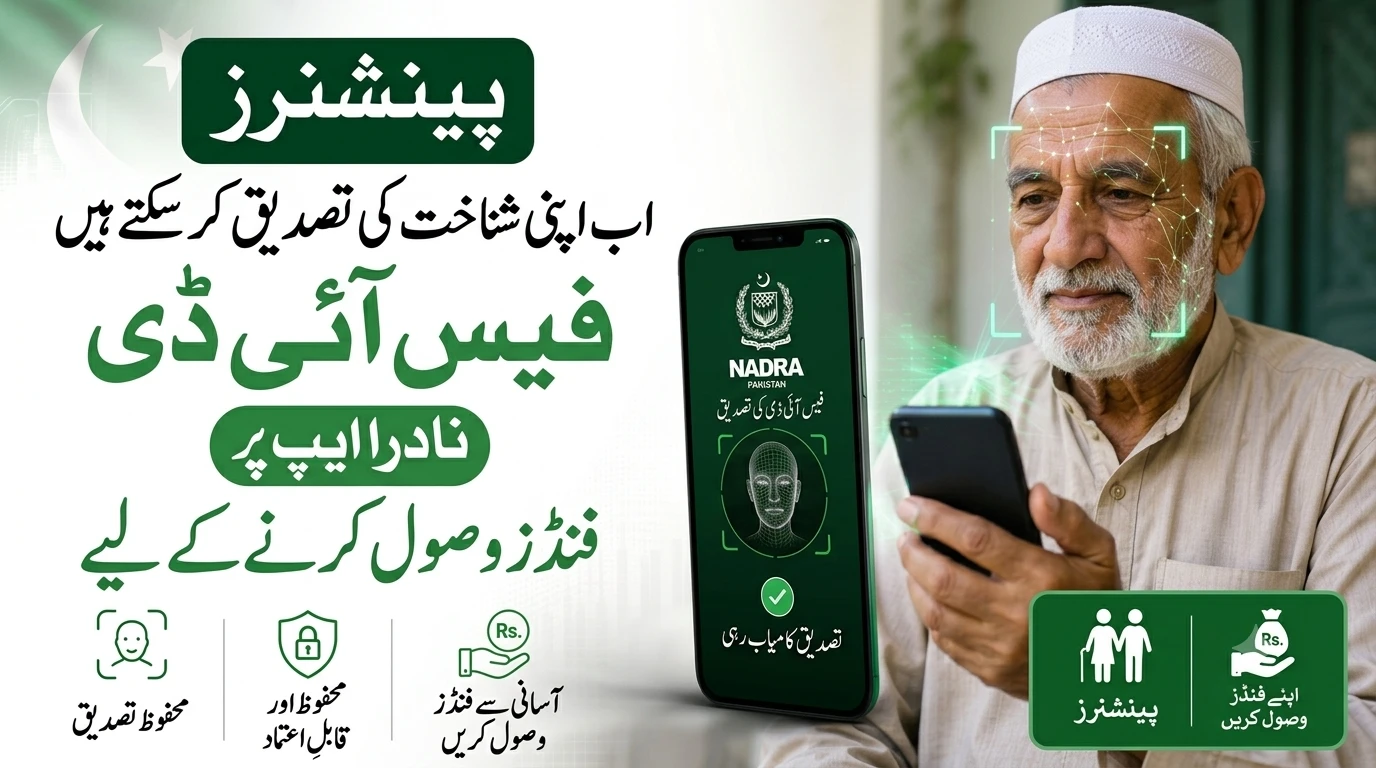
Now, things are changing for the better. Pensioners can now verify their identity through Face ID on the NADRA App to receive funds. This digital upgrade is a massive step forward, bringing ease, respect, and convenience directly to the smartphones of our elders.
With this new feature, proving who you are takes just a few seconds. You no longer have to worry about biometric fingerprint failures. Let’s explore how this new system works and why it is a game-changer for retired individuals across the country.
پاکستان بھر کے پنشنرز کے لیے اب ایک زبردست سہولت متعارف کروا دی گئی ہے۔ اب بزرگ شہریوں کو انگوٹھے کے نشانات کی تصدیق کے لیے بینکوں کی لمبی قطاروں میں کھڑے ہونے کی ضرورت نہیں۔ آپ نادرا ایپ پر ‘فیس آئی ڈی’ (چہرے کی شناخت) کے ذریعے گھر بیٹھے اپنی شناخت کی تصدیق کر سکتے ہیں اور باآسانی اپنی پنشن حاصل کر سکتے ہیں۔
Why the NADRA App Face ID is a Game Changer for Pensioners
As people age, their fingerprints often fade. This natural aging process creates huge hurdles for pensioners who rely on biometric verification to withdraw their monthly stipends. Many seniors have shared stories of traveling to a bank only to have the machine reject their thumbprint multiple times.
The introduction of the NADRA App Face ID completely removes this physical barrier. Facial recognition technology scans your facial features, which do not fade or wear out like fingerprints. This means instant approval and zero frustration.
Furthermore, health and mobility issues often make traveling difficult for the elderly. Standing in crowded places or waiting for hours takes a toll on their physical well-being. By moving this verification process to a smartphone, NADRA is allowing pensioners to complete this vital task from the comfort of their own homes.
Key Benefits of Face ID Verification for Pension Funds
The shift to digital facial recognition brings several direct benefits to users. Here is why this update is being welcomed so warmly.
Secure Verification
Identity theft and fraud are serious concerns, especially when it comes to financial matters. The NADRA Face ID system uses advanced scanning technology to match your live face with the official records stored in the national database.
This ensures that nobody else can claim your funds. The system is designed to detect real, live faces, making it incredibly difficult for scammers to trick the application using a photograph or video. Your money remains secure.
Safe and Reliable Process
When dealing with technology, reliability is just as important as security. NADRA has built a robust infrastructure to support this new feature. The application connects directly to official servers through encrypted channels.
This means your personal data is protected every step of the way. Pensioners can trust that the app will work smoothly and that their private information will not be leaked or mishandled during the verification step.
Receive Funds Hassle-Free
The ultimate goal of this update is convenience. Once the Face ID verification is successful, the clearance is instantly updated in the system.
Pensioners can then receive their funds without any unnecessary delays or paperwork. It transforms a stressful monthly chore into a seamless, hassle-free experience that takes less than a minute to complete.
اس جدید ٹیکنالوجی کا سب سے بڑا فائدہ یہ ہے کہ یہ مکمل طور پر محفوظ اور قابلِ بھروسہ ہے۔ اکثر بزرگوں کے فنگر پرنٹس عمر کے ساتھ مٹ جاتے ہیں، جس کی وجہ سے انہیں شدید پریشانی کا سامنا کرنا پڑتا تھا۔ اب آپ صرف اپنے موبائل کا کیمرہ آن کر کے نادرا ایپ کے ذریعے چند سیکنڈز میں یہ مرحلہ مکمل کر کے بغیر کسی رکاوٹ کے اپنے فنڈز حاصل کر سکتے ہیں۔
How to Use the NADRA App for Face ID Verification
Using the new feature is incredibly simple. You do not need to be a technology expert to get it right. Here is a simple step-by-step guide to help you verify your identity.
- Download the App: First, ensure you have the official NADRA smartphone application downloaded from the Google Play Store or Apple App Store.
- Log In to Your Account: Open the app and log in using your standard credentials, such as your CNIC number and password.
- Select Pension Verification: Look for the specific option dedicated to pensioner identity verification on the main dashboard.
- Position Your Phone: Hold your smartphone at eye level. Make sure your face is clearly visible inside the frame on the screen.
- Scan Your Face: The app will instruct you to hold still while it scans your facial features.
- Wait for Confirmation: Within a few seconds, the screen will display a green checkmark with the message “Verification Successful.”
Once you see that success message, your job is done. Your bank or pension department will automatically receive the verification signal.
Tips for a Successful Face Scan
Sometimes, lighting or movement can cause the scan to fail on the first try. If you run into trouble, do not panic. Follow these easy tips to get a perfect scan.
Find a room with good lighting. Natural daylight is best, so try standing near a window. Avoid having a bright light source directly behind your head, as this creates shadows on your face.
Keep your hand steady. If your hands shake, try resting your elbows on a table while holding the phone. Look directly into the camera lens, not just at the screen. Make sure you are not wearing dark sunglasses or a heavy mask that covers your facial features.
اس سہولت سے فائدہ اٹھانے کے لیے آپ کو کسی مہنگے موبائل یا خاص مہارت کی ضرورت نہیں ہے۔ اگر آپ کے پاس اپنا سمارٹ فون نہیں ہے، تو آپ اپنے خاندان کے کسی بھی فرد کے موبائل پر نادرا ایپ ڈاؤن لوڈ کر کے اپنی تصدیق کا عمل کامیابی سے مکمل کر سکتے ہیں۔
Overcoming Common Technical Issues
While the NADRA app is designed to be user-friendly, technology can sometimes glitch. If the app freezes or closes unexpectedly, simply restart your phone and try again.
Always make sure your app is updated to the latest version. Developers regularly release updates to fix bugs and improve the scanning speed. Check your app store once a month for any pending updates.
If your internet connection is weak, the verification might take longer or time out. Ensure you are connected to a stable Wi-Fi network or have a strong 4G mobile data signal before starting the process.
The Future of Digital Services in Pakistan
This Face ID update for pensioners is a strong indicator of where Pakistan’s digital landscape is heading. NADRA is continuously working to make government services more accessible to the average citizen.
By integrating smart technology into everyday tasks, the government is reducing bureaucracy and cutting down on red tape. This not only saves time but also significantly cuts down on administrative costs for the state.
We can expect to see more services follow this path. From voting registration to property transfers, secure digital identity verification is going to become the new normal. For our senior citizens, this means a more dignified and comfortable way to interact with state institutions.
Conclusion
The announcement that pensioners can now verify their identity through Face ID on the NADRA App to receive funds is a breath of fresh air. It addresses a very real problem faced by our senior citizens and solves it with modern, secure technology.
By eliminating the need for clear fingerprints and physical bank visits, NADRA has given pensioners back their time and peace of mind. If you or a family member receives a pension, download the app and experience this safe, reliable, and hassle-free verification method today.
Frequently Asked Questions (FAQs)
Do I need an expensive smartphone to use the Face ID feature?
No, you do not need the newest or most expensive phone. Any standard Android or iPhone with a clear, functioning front camera and an active internet connection can run the NADRA app and complete the scan.
Is the NADRA Face ID verification safe from hackers?
Yes, it is highly secure. The NADRA app uses advanced encryption and live-detection technology. It matches your live face directly with the secure national database, making it extremely difficult for anyone to fake your identity.
What should I do if the face scan fails multiple times?
If the scan fails, check your lighting. Make sure your face is well-lit and you are holding the phone steady. If it continues to fail, check your internet connection or restart the application.
Will this new system completely replace the old fingerprint method?
While Face ID is the recommended and easiest method now, traditional physical verification methods at bank branches are still available for those who do not have access to a smartphone.
Can a family member help me do the scan on their phone?
Yes. If you do not own a smartphone, a trusted family member can download the NADRA app on their device. You can use their phone to complete your facial verification securely.