
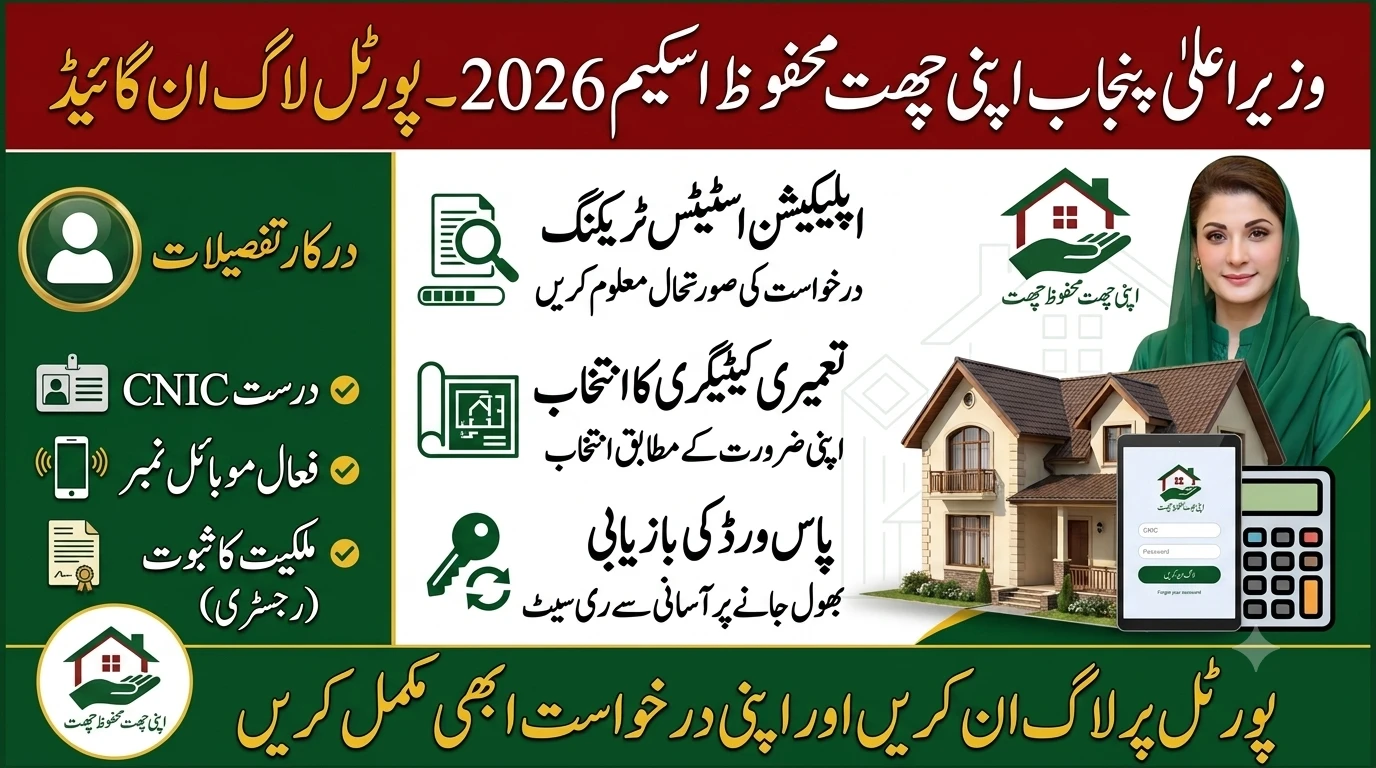
How to Login to Apni Chat Mehfooz Chat: Punjab Citizen Guide
Having a safe and secure roof over your head is a basic human need. If you live in Punjab and your house needs urgent repairs, the provincial government has launched a great initiative to help you out.
The Apni Chat Mehfooz Chat program is a new scheme designed to provide interest-free loans for home repairs and expansion. But before you can get this financial help, you need to know how to use the online system.
Many people get confused when trying to navigate government websites. This guide will walk you through the Apni Chat Mehfooz Chat login process in simple terms. By the end of this article, you will know exactly how to register, log in, and submit your application without any stress.
What is the Apni Chat Mehfooz Chat Scheme?
The Apni Chat Mehfooz Chat project was recently launched by the Chief Minister of Punjab. It is an extension of the highly successful Apni Chhat Apna Ghar program. The main goal is to help low-income families protect their existing homes from structural damage.
Bad weather conditions, like heavy monsoon rains, can be dangerous for old or poorly built houses. This scheme offers financial support so families can fix weak roofs before a tragedy happens. The government wants to make sure every citizen is living in a secure environment.
پنجاب حکومت کا یہ قدم غریب اور نادار لوگوں کے لیے ایک بہت بڑی سہولت ہے۔ بہت سے خاندان ایسے ہیں جو اپنے ٹوٹے ہوئے گھروں کی مرمت کے لیے مالی وسائل نہیں رکھتے۔ اس سکیم کے ذریعے وہ باآسانی اپنے خوابوں کی تکمیل کر سکتے ہیں اور اپنے خاندان کو ایک محفوظ چھت فراہم کر سکتے ہیں۔ وزیر اعلیٰ پنجاب نے اس بات کی خاص ہدایت کی ہے کہ اس عمل کو شفاف اور آسان بنایا جائے۔ یہی وجہ ہے کہ آن لائن پورٹل کا قیام عمل میں لایا گیا ہے تاکہ کسی کو دفتروں کے چکر نہ لگانے پڑیں۔ گھر کی تعمیر یا مرمت ایک مشکل اور مہنگا کام ہوتا ہے، خاص طور پر آج کل کی مہنگائی کے دور میں۔ حکومت کی جانب سے فراہم کردہ بلاسود قرضہ ان تمام مشکلات کا ایک بہترین حل ہے۔ شہریوں کو چاہیے کہ وہ اس سنہری موقع سے بھرپور فائدہ اٹھائیں اور اپنی درخواستیں بروقت جمع کروائیں۔ مزید برآں، یہ پروگرام دیہی اور شہری دونوں علاقوں کے رہائشیوں کے لیے یکساں طور پر دستیاب ہے۔ اس لیے، تمام اہل افراد کو بلا تاخیر اس سکیم میں رجسٹریشن کروا لینی چاہیے۔
Under this program, eligible citizens can get an interest-free loan. You can receive up to Rs. 500,000 to repair or strengthen your roof. If your family is growing and you need to build an extra room or add a second floor, you can apply for a loan of up to Rs. 1,000,000.
Important Requirements Before You Login
Before you even open the website, you need to have a few things ready. Having your documents close by will make the registration and login process much faster. You do not want to start the process and then have to dig through your cupboards to find your papers.
Here is a quick checklist of what you need:
- A Valid CNIC: Your Computerized National Identity Card must be valid and not expired. You will need to enter this exact number to create your account.
- An Active Mobile Number: Make sure the SIM is registered in your name and actively working. Avoid using a ported network number, as it might block the official verification SMS.
- Proof of Ownership: You need official legal papers showing you own the land or house. This can be a registered deed (Registry) or a recently verified Land Record Authority document (Fard).
- Property Details: Know the exact size of your plot in Marlas and whether your home falls under an urban municipality or rural district council.
Step-by-Step Guide for Apni Chat Mehfooz Chat Login
Logging into the portal is easy once you know the exact steps. The government has tried to make the website interface as simple as possible for the general public. Follow these instructions carefully to access your digital account.
Step 1: Visit the Official Portal
The first thing you need to do is open your web browser on your smartphone or desktop computer. Type in the official web address: acag.punjab.gov.pk. This is the central digital hub for the housing program.
Always be careful of fake links spreading on social media or WhatsApp groups. Scammers often create fake websites to steal your personal information. Only use the verified government link provided above.
Step 2: Registering Your Account
If this is your first time visiting the site, you cannot log in right away. You must create a new account first. Look for the “Register” or “Sign Up” button on the homepage and click on it.
The system will ask for your full legal name, your 13-digit CNIC number, and your mobile number. Once you enter these details, the portal will automatically send a One-Time Password (OTP) to your phone. Type that short code into the website to verify your identity.
آن لائن رجسٹریشن کا طریقہ کار نہایت سادہ اور عام فہم رکھا گیا ہے تاکہ کم پڑھے لکھے لوگ بھی اسے باآسانی استعمال کر سکیں۔ آپ کو بس اپنا اصل شناختی کارڈ نمبر اور ایک فعال موبائل نمبر درکار ہوتا ہے۔ جب آپ اپنا موبائل نمبر درج کرتے ہیں، تو ایک تصدیقی کوڈ فوراً آپ کے فون پر بھیج دیا جاتا ہے۔ اس کوڈ کو پورٹل پر درج کرنا لازمی ہے کیونکہ اس کے بغیر آپ کا اکاؤنٹ فعال نہیں ہو سکتا۔ پاس ورڈ بناتے وقت اس بات کا خیال رکھیں کہ وہ آسان ہو تاکہ آپ اسے بھول نہ جائیں، لیکن دوسروں کے لیے اس کا اندازہ لگانا مشکل ہو۔ کسی بھی قسم کی غلط معلومات فراہم کرنے سے گریز کریں کیونکہ بعد میں تصدیق کے دوران آپ کی درخواست مسترد ہو سکتی ہے۔ درخواست جمع کروانے سے پہلے تمام درج کی گئی تفصیلات کو ایک بار غور سے پڑھنا بہت ضروری ہے۔ اگر آپ کو انٹرنیٹ کے استعمال میں دشواری پیش آ رہی ہے تو آپ کسی قریبی انٹرنیٹ کیفے یا پڑھے لکھے دوست سے مدد لے سکتے ہیں۔ حکومت کا مقصد ہر مستحق شخص تک اس سہولت کو پہنچانا ہے، اس لیے تکنیکی رکاوٹوں کو کم سے کم کیا گیا ہے۔ رجسٹریشن مکمل ہونے کے بعد آپ باقاعدہ طور پر اپنی درخواست کو ٹریک بھی کر سکتے ہیں۔
Step 3: Accessing the Dashboard
After your account is verified, you will be prompted to create a secure password. Make sure it is something you can remember but hard for strangers to guess. Now, go back to the main login page.
Enter your CNIC number as your username and type in your newly created password. Click the login button, and you will be taken straight to your personal dashboard. This is where you actually begin your loan application.
Step 4: Selecting the Right Category
Once you are inside the portal, you will see different options aligning with the program. You need to pick the specific category that matches your construction needs.
If you just need to fix a weak roof, do structural strengthening, or build a single room on the ground floor, select Category 1. If you are planning to build a completely new upper floor, then you need to select Category 2. Choosing the right category ensures your file goes to the correct department.
How to Recover Your Login Password
It is very common to forget passwords. If you try to log in and get a red error message saying your password is wrong, do not panic. You can easily reset it within a few minutes.
On the main login screen, click the “Forgot Password” link. The portal will ask you to enter your registered CNIC number and your mobile phone number. A new secure verification code will be sent to your phone via SMS.
Enter the code, and the system will let you type a new password. If you still have trouble gaining access, the Punjab government has set up a dedicated help center. You can call 0800-09100 for free technical support during regular working hours.
Common Login Issues and How to Fix Them
Sometimes internet technology does not work perfectly. You might face a few small technical problems while trying to log in. Knowing how to fix them will save you a lot of frustration.
Here are a few common issues and their quick solutions:
- OTP Not Arriving: This usually happens if your mobile network is weak in your area. Try moving near a window or outdoors to get better signals, or wait a few minutes and request a fresh code.
- Invalid CNIC Error: Double-check the numbers you typed on the keyboard. Make sure you are not adding any dashes or empty spaces between the digits.
- Website Not Loading: Thousands of people might be trying to log in at the exact same time. If the page is stuck or freezing, simply refresh your internet browser or try logging in early in the morning when server traffic is low.
How to Track Your Application Status After Login
Once you have successfully logged in and submitted your form, the waiting game begins. However, you do not have to sit in the dark guessing what is happening with your file. The portal allows you to track every step of the official verification process.
Whenever you want an update, simply enter your Apni Chat Mehfooz Chat login details. On your main dashboard, you will see your unique Application Tracking Number. Click on it to see if your file is in the digital database screening phase, physical inspection phase, or final approval stage.
The housing department will also send you automatic SMS alerts. If the physical inspection team needs to visit your home to check the roof, you will get a text message. Always keep your phone nearby and your SMS inbox clear so you do not miss any important government updates.
Key Benefits for Punjab Citizens
This housing program is a huge financial relief for low-income families. The payment structure has been designed specifically to help the poor without adding extra financial stress.
First of all, the loans are completely interest-free. You only pay back exactly the amount you borrow. The Punjab government is even covering the processing fees and other extra paperwork charges that private banks usually take.
اس سکیم کی سب سے بڑی اور نمایاں خوبی یہ ہے کہ اس پر کوئی سود یا اضافی چارجز لاگو نہیں ہوتے۔ عام طور پر بینکوں سے قرض لینے پر بھاری سود ادا کرنا پڑتا ہے جو کہ ایک غریب آدمی کے لیے ممکن نہیں ہوتا۔ حکومت پنجاب نے عوام کی اس بڑی پریشانی کو مدنظر رکھتے ہوئے یہ بلاسود پروگرام متعارف کروایا ہے۔ قرض کی واپسی کے لیے ماہانہ قسط بھی بہت مناسب رکھی گئی ہے تاکہ گھر کے بجٹ پر زیادہ بوجھ نہ پڑے۔ اس کے علاوہ، قرض حاصل کرنے کے بعد پہلے تین ماہ تک کوئی قسط ادا نہیں کرنی پڑتی، جو کہ ایک زبردست ریلیف ہے۔ اس مہلت کے دوران آپ اپنے گھر کی مرمت کا کام تسلی سے شروع کر سکتے ہیں۔ اگر آپ کسی وجہ سے آن لائن اپلائی نہیں کر سکتے، تو سرکاری دفاتر میں جا کر بھی اپنی درخواست جمع کروا سکتے ہیں۔ متعلقہ عملہ آپ کی رہنمائی کے لیے موجود ہوتا ہے اور فارم پُر کرنے میں آپ کی مکمل مدد کرتا ہے۔ کسی بھی شکایت یا مسئلے کی صورت میں حکومت کی جانب سے دی گئی ہیلپ لائن پر بھی رابطہ کیا جا سکتا ہے۔ مجموعی طور پر، یہ منصوبہ پنجاب کے شہریوں کے معیار زندگی کو بہتر بنانے میں ایک اہم کردار ادا کرے گا۔
Secondly, the monthly installments are incredibly affordable. For a 5-lakh loan, you only have to pay around Rs. 4,700 every month spread over nine years. You also get a helpful three-month grace period before your very first payment is legally due.
Alternatives to Online Application
If you do not have a smartphone, lack a stable internet connection, or simply do not know how to use digital portals, there is an alternative route. The government wants to make sure nobody is left behind due to technology.
You can visit the local offices of the Deputy Commissioner or Assistant Commissioner in your home city. The staff there is trained to help you fill out the application manually. You can also visit the Punjab Housing and Town Planning Agency (PHATA) offices for direct, face-to-face assistance.
Frequently Asked Questions (FAQs)
What is the official website for the Apni Chat Mehfooz Chat login?
The only official website to register, log in, and apply for this scheme is acag.punjab.gov.pk. Avoid clicking on unverified links sent through text messages or social media comments.
Can I apply for the loan without logging into the portal?
Yes, if you cannot use the online portal, you can submit a physical paper application at your local Deputy Commissioner or Assistant Commissioner’s office during office hours.
Why is my OTP SMS not coming to my phone?
If you have ported your SIM from one network to another, government short-code SMS services often fail to deliver. Try using a standard, non-ported mobile number if possible.
Can I change my application details after logging in and submitting?
Once you submit your final application and receive a tracking number, you usually cannot change the details through the portal. You must ensure all information matches your CNIC and property documents exactly before hitting submit.
Is there a helpline if my account gets locked out?
Yes, the Punjab government has provided a toll-free public helpline. You can call 0800-09100 to get immediate help with account recovery, password resets, and other login issues.