How to login to CMS as a new student in AIOU
Getting admission to Allama Iqbal Open University is a great step for your education. As a fresh student, everything might feel a bit new and confusing at the start.
The most important tool you will use during your studies is the Campus Management System. The university manages almost all student activities through this online digital platform.
Many fresh students face trouble when they try to access their accounts for the very first time. They often wonder about their login details, passwords, and how the whole digital system actually works.
This guide will explain exactly how to login to CMS as a new student in AIOU. We will walk you through the entire process step by step, so you can easily access your student dashboard today.
We will also answer the most common questions, just like the ones shown in the 1000364834.png file, regarding passwords, enrollment status, and what this system actually does for you.
What is CMS in AIOU?
You might be asking, what is CMS in AIOU? CMS stands for Campus Management System.
It is an advanced Oracle-based database system with a PeopleSoft interface that the university uses to handle student data.
Think of it as your virtual university campus. Instead of visiting a physical regional office, you can handle your academic matters right from your smartphone or laptop.
The AIOU has moved almost all of its major operations to this online portal.
Through this system, you can register for new courses, check your exam grades, find your tutor details, and even download your unofficial transcripts.
Every single student gets their own personalized dashboard. This makes managing your educational journey very simple and highly straightforward.
How can I get my AIOU username and password?
The most common hurdle for new students is finding their exact login details. If you are wondering, how can I get my AIOU username and password, the process is quite simple.
When your admission is officially confirmed by the university, they send an official text message to your registered mobile number.
This SMS contains your official User ID and your specific unique password.
However, sometimes students do not receive this text message due to mobile network issues. If you do not get the SMS, you can easily figure out your login details yourself.
Your User ID is simply your student registration number.
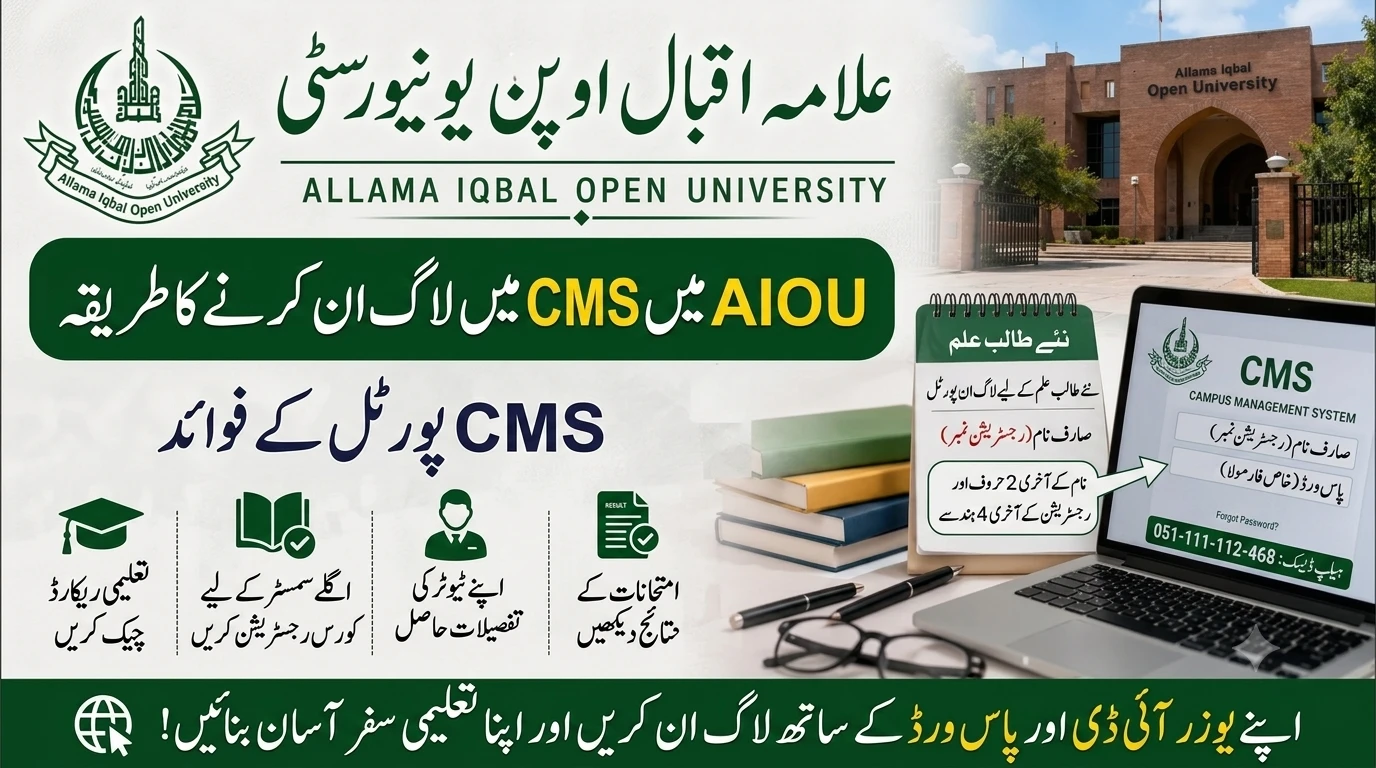
Your password is created using a specific formula set by the university. It is made up of the last 2 characters of your name followed by the last 4 digits of your registration number.
Make sure to type both the User ID and the password in CAPITAL letters when you try to log in.
Step-by-Step Guide: How to login to CMS as a new student in AIOU
Now that you have your login details, you are ready to access your account. Follow these simple steps carefully.
Doing this right will help you avoid any login errors or permanent account lockouts.
- Step 1: Open your internet browser on your computer or smartphone.
- Step 2: Go to the official AIOU enrollment website. The exact web address is https://enrollment.aiou.edu.pk/.
- Step 3: You will see the Oracle PeopleSoft sign-in page on your screen.
- Step 4: Enter your User ID in the first box. Remember, this is your registration number.
- Step 5: Enter your password in the second box. Double-check that your Caps Lock is on, as the letters must be capital.
- Step 6: Click on the “Sign In” button.
If you entered everything correctly, you will be taken straight to your secure student dashboard.
How do I check my AIOU enrollment status?
Many new students get anxious while waiting for their admission confirmation. They want to know, how do I check my AIOU enrollment status?
You can track your admission progress directly through the AIOU online systems.
Before you get your CMS login, you use the Online Admission System portal where you first applied.
Once you submit your forms and pay the fee, the university takes a few weeks to verify your documents.
You can log back into the admission portal to see if your status has changed from “Submitted” to “Verified” or “Confirmed”.
Once your enrollment is officially confirmed, the university activates your profile on the main CMS portal.
After that, you will handle all future enrollments for your upcoming semesters directly through the “Course Registration” section inside the CMS.
How to recover CMS portal password?
It is very common to forget digital passwords over time. If you lose yours, you will quickly need to know how to recover CMS portal password.
Since your academic progress depends entirely on this portal, you should not panic if you cannot log in.
If you forget your password, the best and most official way to recover it is through the AIOU Helpdesk.
You need to visit http://support.aiou.edu.pk/ and submit an online complaint.
Create a support ticket explaining that you are a new student and have lost your CMS password.
Make sure to provide your correct full name, registration number, and your active mobile number in the ticket.
The technical support team will verify your details and quickly reset your password.
Alternatively, you can also call the official AIOU helpline at 051-111-112-468 to request a password reset.
Exploring the AIOU CMS Dashboard Features
Once you successfully log in to your account, you will see a simple dashboard with several different tiles.
These sections are specifically designed to help you manage every single part of your studies online.
Here are the main features you will use regularly throughout your degree:
- Academic Records: This section is where you will find your allocated tutors for assignment evaluation. You can also view or download your unofficial transcript from here.
- Profile: This area holds your personal information according to official AIOU records. If you notice any spelling mistakes in your name, you must contact the admissions department to update them.
- Course Registration: AIOU requires students to re-enroll in new courses every semester. You will use this tab to pick your subjects for the next semester.
- Exam and Grades: You can check your complete semester results here. This section also includes the “My Exam Schedule” option, where you can easily view and download your roll number slip online.
Take some time to click around and get familiar with these options. It will save you a lot of time later in the semester when exams approach.
Why AIOU Switched to the New CMS Portal
Before the Campus Management System was introduced, AIOU relied heavily on physical paperwork and manual postal services.
Students had to wait for weeks to receive their tutor letters or result cards through the mail.
This old method caused many delays, and sometimes important documents were lost in transit.
To solve these exact problems, the university decided to go through a major digital transformation.
By moving everything to an integrated Oracle database, they made the system much faster and far more transparent.
Now, all currently enrolled students can access their information instantly from anywhere in the country.
This shift not only saves paper but also gives students immediate access to their academic progress.
The new portal ensures that distance learning is truly accessible and modern for the 2026 academic year.
Tips for a Smooth AIOU CMS Experience
Using an online digital portal can sometimes be tricky, especially during peak times like admission deadlines or result days.
To make sure you have a smooth experience, keep a few important tips in mind.
First, always save your User ID and password in a highly secure place. Writing it down in a physical notebook is a safe choice.
Second, avoid sharing your login details with unauthorized people or third-party internet cafes. They could mess up your course registration or alter your personal details.
Third, try to access the portal during off-peak hours, like early in the morning or late at night. The website traffic is usually lower, so the pages will load much faster.
Lastly, always double-check the announcements on the main university website. AIOU regularly updates students about scheduled system maintenance or new features added to the CMS.
Frequently Asked Questions (FAQs)
As referenced in the common queries from the 1000364834.png file, students often ask similar questions about this digital system. Here are clear answers to help you out.
What is CMS in AIOU?
The CMS is the Campus Management System. It is an online digital portal designed by AIOU where students can directly manage their academic records, course registrations, and check their exam grades.
How can I get my AIOU username and password?
You will receive your username and password via an SMS from the university once your admission is officially confirmed. Alternatively, your User ID is your registration number, and the password is the last 2 characters of your name combined with the last 4 digits of your registration number.
How do I check my AIOU enrollment status?
You can check your initial enrollment status on the AIOU online admission portal. Once your fee and documents are verified by the staff, your status will change to confirmed, and you will be granted access to the CMS portal.
How to recover CMS portal password?
If you forget your password, you should submit an online support ticket at http://support.aiou.edu.pk/. You can also call the official AIOU helpline at 051-111-112-468 to request a manual password reset.
Can I change my personal details on the CMS?
You can view your personal details in the “Profile” section of your dashboard. However, to actually change or update wrong information, you must contact the AIOU admissions department directly or submit a formal complaint on the support portal.